
Go to the Textarea element settings.

Then go to the Styles tab.
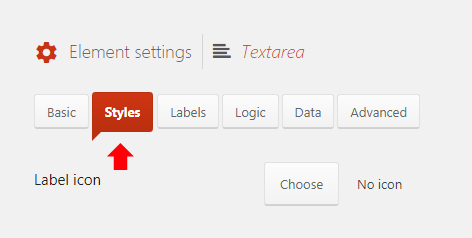
Then turn on the option Enable editor.

Show legacy instructions
Add the following code to your site (see Adding custom code for help):
123 4 5 6 7 8 9 | add_action('quform_pre_display_1', function (Quform_Form $form) { $textarea = $form->getElement('quform_1_3'); if ($textarea) { wp_editor(Quform::escape($textarea->getValue()), $textarea->getUniqueId(), array( 'textarea_name' => $textarea->getFullyQualifiedName() )); } }); |
add_action('quform_pre_display_1', function (Quform_Form $form) {    $textarea = $form->getElement('quform_1_3');
    if ($textarea) {
        wp_editor(Quform::escape($textarea->getValue()), $textarea->getUniqueId(), array(
            'textarea_name' => $textarea->getFullyQualifiedName()
        ));
    }
});1 2 34 5 6 7 8 9 10 11 | function my_textarea_editor(Quform_Form $form) { $textarea = $form->getElement('quform_1_3'); if ($textarea) { wp_editor(Quform::escape($textarea->getValue()), $textarea->getUniqueId(), array( 'textarea_name' => $textarea->getFullyQualifiedName() )); } } add_action('quform_pre_display_1', 'my_textarea_editor'); |
function my_textarea_editor(Quform_Form $form)
{
    $textarea = $form->getElement('quform_1_3');
    if ($textarea) {
        wp_editor(Quform::escape($textarea->getValue()), $textarea->getUniqueId(), array(
            'textarea_name' => $textarea->getFullyQualifiedName()
        ));
    }
}
add_action('quform_pre_display_1', 'my_textarea_editor');Then go to Forms → Settings → Custom CSS & JS and at the Custom JavaScript field add the following code.
1 2 3 | jQuery(function ($) { $('.quform-field-1_3').replaceWith($('.wp-editor-area[name="quform_1_3"]').closest('.wp-editor-wrap')); }); |
jQuery(function ($) {
    $('.quform-field-1_3').replaceWith($('.wp-editor-area[name="quform_1_3"]').closest('.wp-editor-wrap'));
});- Replace both occurrences of
1_3with the Textarea element unique ID