

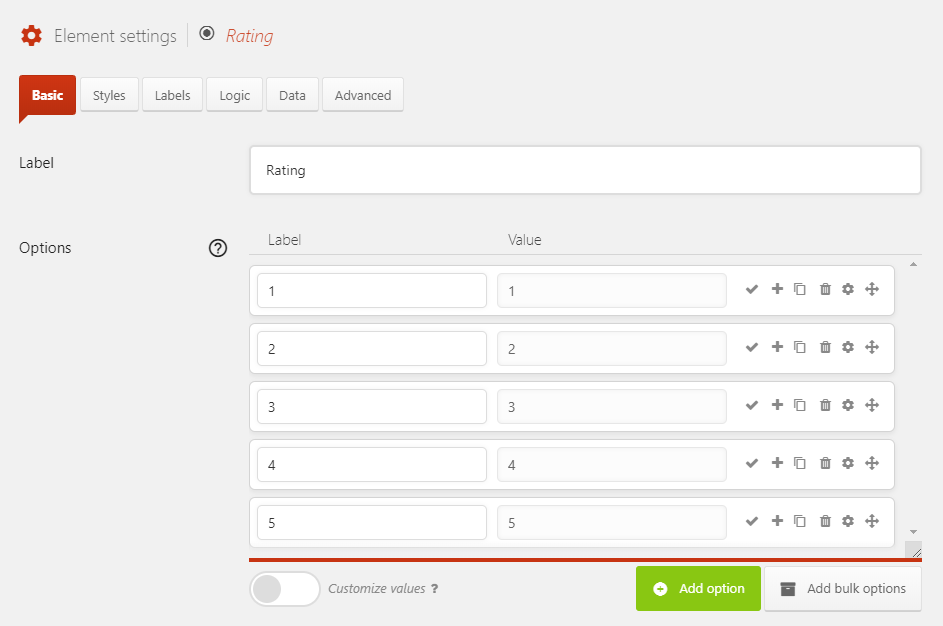
Step 1
Add a Radio Button element to the form, in the settings for it set the options to the numbers 1 to 5.
Step 2
Add the following code to your site (see Adding custom code for help). Alternatively, go to this link and click Download ZIP to get an installable WordPress plugin, install and activate the plugin.
1 2 3 | add_action('wp_enqueue_scripts', function () { wp_enqueue_style('starability', 'https://cdnjs.cloudflare.com/ajax/libs/starability/2.4.2/starability-css/starability-basic.css'); }); |
add_action('wp_enqueue_scripts', function () {
    wp_enqueue_style('starability', 'https://cdnjs.cloudflare.com/ajax/libs/starability/2.4.2/starability-css/starability-basic.css');
});Step 3
Go to Forms → Settings → Custom CSS & JS and at the Custom JavaScript add the following code.
1
23
| jQuery(function ($) { $('.quform-input-1_3').find('.quform-options').addClass('starability-basic').find('.quform-option > input').unwrap();}); |
jQuery(function ($) {
    $('.quform-input-1_3').find('.quform-options').addClass('starability-basic').find('.quform-option > input').unwrap();
});- On line 2, replace
1_3with the Radio Button element unique ID